
At first, I was looking for flowers because it is July. In the end, I hope that I'll surprise you. I don't know how you look for your blog photos, but I wander around in Picasa Web Albums. If you Google that, you'll come right to your very own blog without even trying. It's pretty neat.

I was pleasantly surprised to look down at the bottom of my page and see that I have used only 1.37%. When I first began whittling away at my storage, it was 40%. How did I get it so low? Simply by removing header photos that I no longer use and by resizing any mosaics that were a little too large. Just for the record, I usually size my photos at 650 by 488.
Lest you think that I care nothing for quality, I save photos at a 300 resolution at the greatest quality (on my program this equals a 12) and a 384 Kpbs despite the fact that I am saving them at 650 by 488. If this is gobbledly-gook to you, don't fear. We all have our own methods. The point I'm trying to make is to save the photo at a reasonable size with the greatest quality IF you are concerned about photo storage. Even at PicMonkey, there are options as you save your photo. I always save it at the highest quality allowed. By the way, if I choose a png image over a jpeg, I don't have to think about saving it at 384 Kpbs. A png image has greater quality than a jpeg. (For an opposing and valid viewpoint, read Donna's comment. Donna also emailed me this link titled What Resolution Should Your Images Be?)
Yes, I do lose quality (sizing at 650 by 488) when a person wants to see a clearer, larger picture by opening the photo in a larger size in a new tab. (BTW, Picasa allows you to size photos up to 800 without penalty.) I think of my smaller photos as keeping a little footprint on the WWW. ☺☺☺ No, I don't. I'm just yanking a chain. I really think of this as not ever having to purchase photo storage space. This is not, after all, a big blog with big, beautiful photos. (You may find tips about deleting photos from Picasa *here.*)
Lest your head is spinning, I'll move on...
~~~


Until very recently, the barn above was falling down. The roof was caved in and the entire end was gone. How surprised we were to find it looking so fine. I'm thinking that this is not going to be used for a barn anymore with that wall of windows. It overlooks the White Mountains of New Hampshire and so has a lovely view.
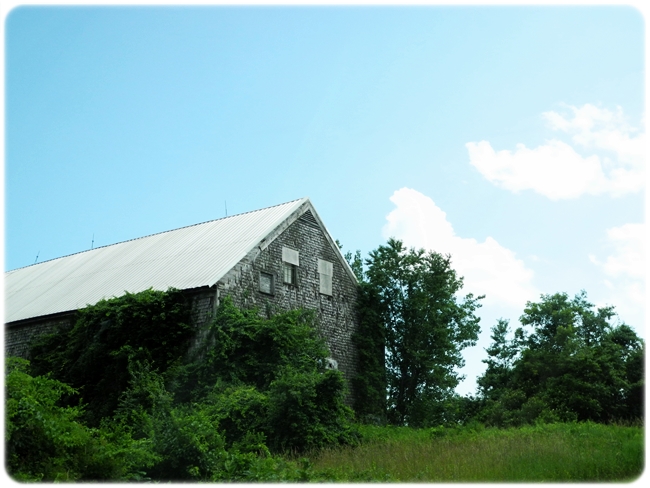
Further down the road, this large old barn is covered in vines. It always looks well tended, but never in use.
~~~
In case I want to go with flowers after all... ;>
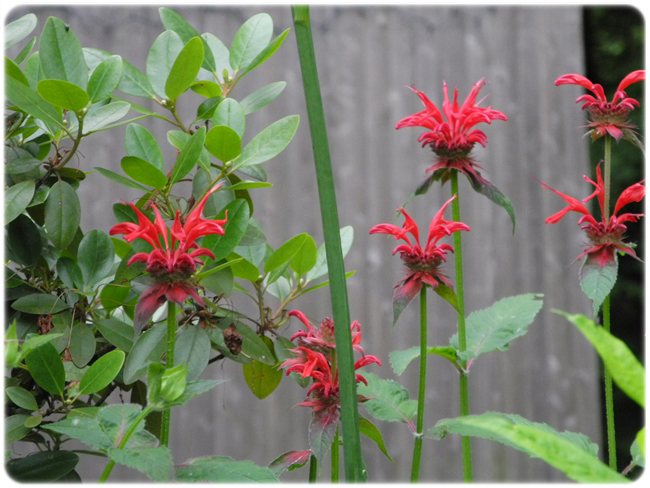


~not sure what kind this will be~
The bee balm is blooming. The daylilies, too. All's right with the world.
See you tomorrow afternoon...


